
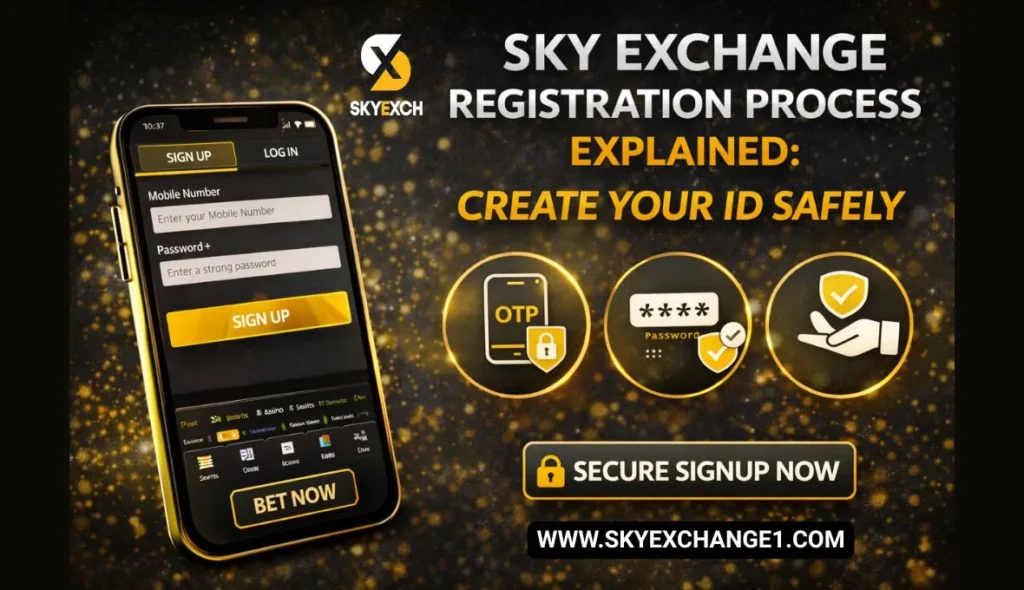
Creating a betting ID is the first step toward using any online exchange smoothly. When registration is done correctly, you avoid common problems later—such as OTP delays, login errors, or withdrawal verification issues. Sky Exchange is widely used in India for sports betting and live casino access, and its registration process is simple if you follow it carefully.
This blog explains the Sky Exchange registration process in clear, everyday language. It focuses on safety, accuracy, and practical tips.
What a Sky Exchange ID Means for You
A Sky Exchange ID is your personal account that lets you log in on mobile or desktop, add funds, place sports bets, and access casino games. It is usually linked to your mobile number or a chosen username. Once active, the same ID works across devices, keeps your wallet in one place, and stores your betting history.
Many issues people face later—like “session expired” messages or delayed withdrawals—often trace back to small mistakes made at signup. That’s why creating the ID carefully is important.
Why Safe Registration Matters
Registration isn’t just a formality. The details you enter become the foundation of your account. If your mobile number is incorrect, OTP recovery becomes difficult. If your password is weak, your account is easier to compromise. If details don’t match later checks, withdrawals can slow down.
A safe registration gives you stable logins during high-traffic events, quicker help from support if needed, and smoother deposits and withdrawals overall.
What to Prepare Before You Start
Before opening the registration page, make sure you have a stable internet connection and an active Indian mobile number that can receive SMS. Choose a password you’ll remember but that others won’t guess. Taking a minute to prepare reduces errors and saves time.
Step-by-Step Sky Exchange Registration (Explained Simply)
Start by opening the official Sky Exchange registration page or a link shared by a trusted source. Avoid random links on social media or unfamiliar websites. Fake pages can look convincing but are designed to collect your details.
You’ll be asked to enter your mobile number or create a username. Enter it carefully and double-check before proceeding. This detail is crucial because it’s used for OTP verification and future account recovery.
After submitting your number, you’ll receive an OTP by SMS. Enter it within the given time. If the OTP doesn’t arrive immediately, wait for about a minute before requesting another. Repeated requests in quick succession can temporarily block delivery.
Next, create your password. Choose something strong—use letters and numbers, avoid names or birth years, and don’t reuse passwords from other apps. This step protects your balance and prevents unauthorized access.
Some registration flows ask for basic details such as name or preferred currency. Enter accurate information. Incorrect details can create verification issues later.
Once you submit everything, your Sky Exchange ID is created and ready to use.
Registration Through an Agent (When Applicable)
Some users receive Sky Exchange IDs through authorised agents. This method can be convenient, but it requires caution. Always use a trusted agent, log in immediately after receiving your credentials, and change the password right away. Make sure your own mobile number is linked to the account so you can recover it independently if needed.
What to Do Right After Registration
After your first login, take a few minutes to explore the dashboard and wallet section. Start with a small deposit to understand the flow before committing larger amounts. This early familiarity helps you avoid confusion during live matches or busy periods.
How to Keep Your Sky Exchange ID Secure
Account safety is a shared responsibility. Never share OTPs, even with someone claiming to be support. Avoid logging in on public Wi-Fi, and always log out from shared devices. Periodically changing your password is a good habit, especially during long tournaments.
Common Registration Issues and Practical Fixes
Sometimes OTPs arrive late because of network quality. Waiting patiently usually works better than repeated resends. If the page doesn’t load, switching networks or clearing browser cache often fixes it. Password errors usually come from extra spaces or weak combinations—typing manually helps.
If your ID is created but login fails, recheck details calmly. Most issues are small and easy to resolve without panic.
One-Glance Troubleshooting Table
| Situation | Likely Cause | Simple Fix |
|---|---|---|
| OTP not received | Weak network or too many requests | Wait 60 seconds, check signal, retry once |
| Page not loading | Browser cache or network issue | Refresh, clear cache, change network |
| Password rejected | Extra spaces or weak format | Type manually, strengthen password |
| Login fails after signup | Detail mismatch | Recheck credentials, reset if needed |
Why Many Users Prefer Sky Exchange
Users like Skyexchange because registration is quick, the interface is mobile-friendly, and the platform handles live betting and casino access smoothly. When the ID is created correctly, everyday use becomes simple—even during high-traffic events.
Responsible Use After Signup
Registration opens the door, but responsible use keeps the experience positive. Set a budget, take breaks, and treat betting as entertainment rather than a guarantee. This mindset helps you enjoy the platform without stress.
The Sky Exchange registration process is straightforward, but accuracy and safety matter. Using the correct mobile number, setting a strong password, and following basic security habits can prevent most problems users face later.
Create your Sky Exchange ID carefully, secure it from day one, and you’ll enjoy smoother access to sports betting and casino games throughout 2026.
FAQs
Is Sky Exchange registration free?
Yes, creating an ID is generally free.
How long does registration take?
Most users finish within a few minutes if OTP arrives promptly.
Can I use one ID on mobile and laptop?
Yes, the same ID works across devices.
What if I entered the wrong number?
It’s best to correct it early; wrong numbers cause OTP and recovery issues.
How do I keep my ID safe?
Use a strong password, never share OTPs, and avoid public devices.
